If you’re facing any issues or have questions, our support team is here to help. You can easily raise a support ticket and track its status on the Delta Exchange India platform. Follow the steps below:
How to Raise a Support Ticket
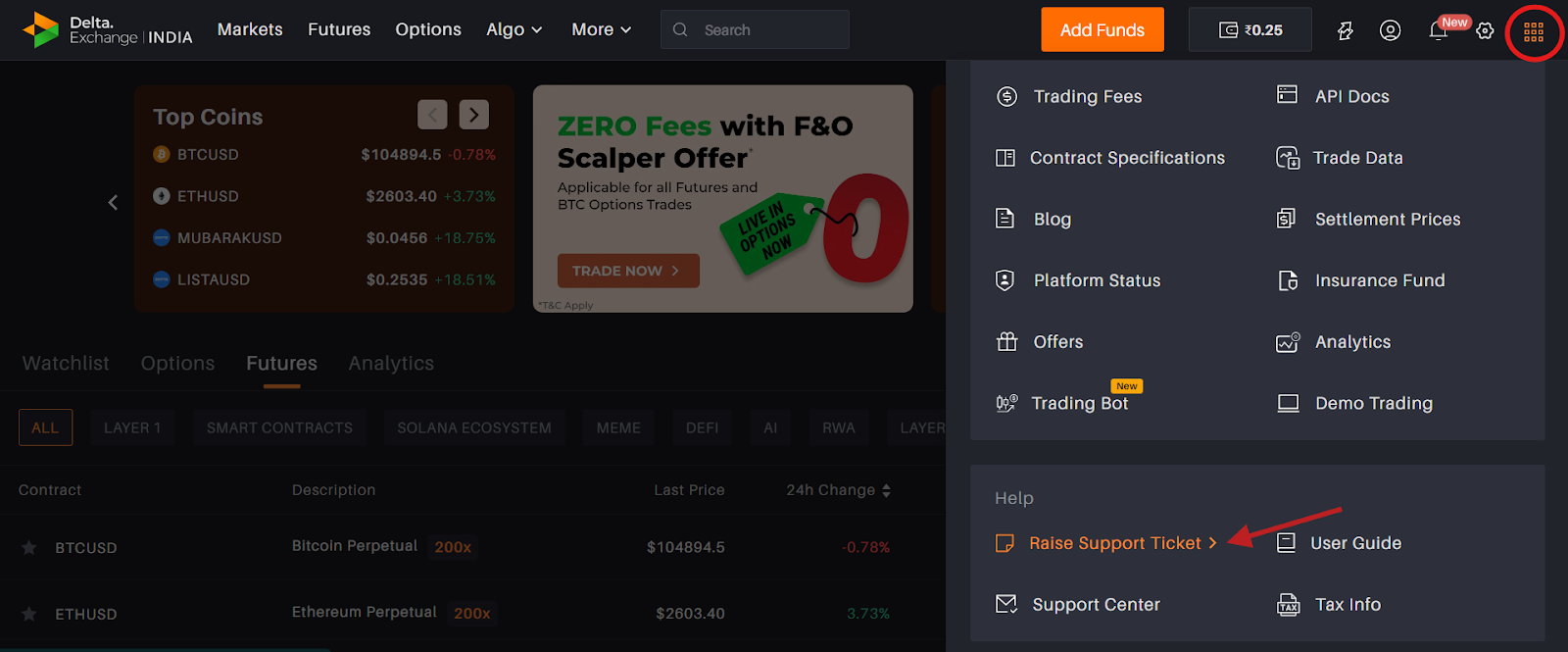
On the top of the Delta platform, click on the last icon and select “Raise Support Ticket.”
You will be redirected to the support page where you can describe your issue.
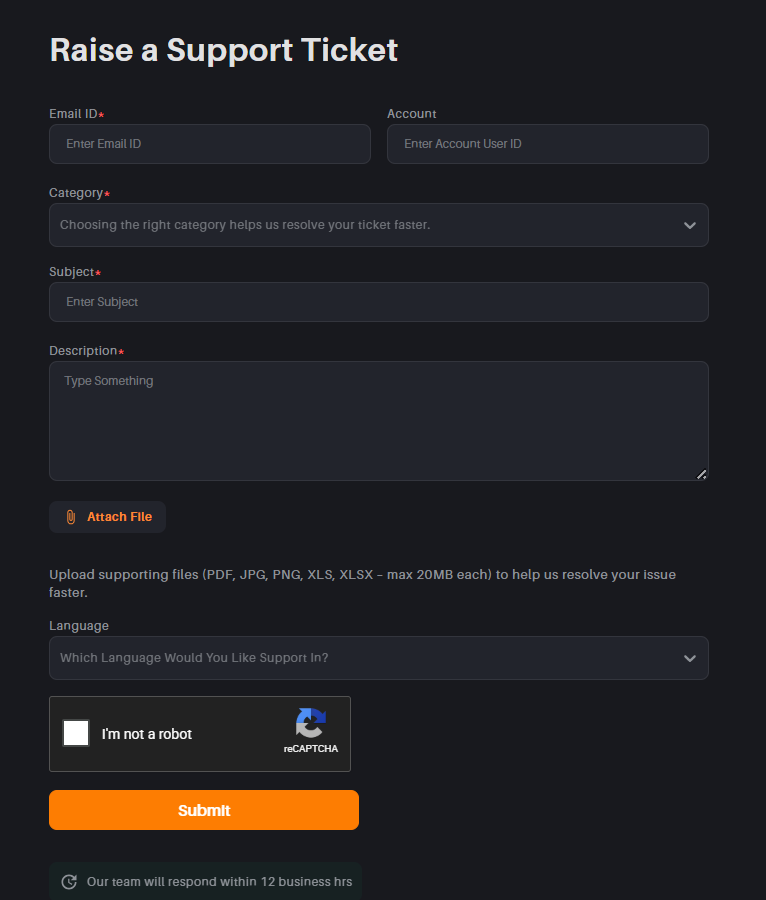
If you are logged in, your account details will be auto-filled. If you are raising a ticket from another device, please enter your registered email address and User ID manually.
Steps:
Enter the required details (email, User ID, subject, and description of the issue).
Attach relevant screenshots or files, if required.
Select your preferred language.
Click on Submit.
How to Check the Status of Your Ticket
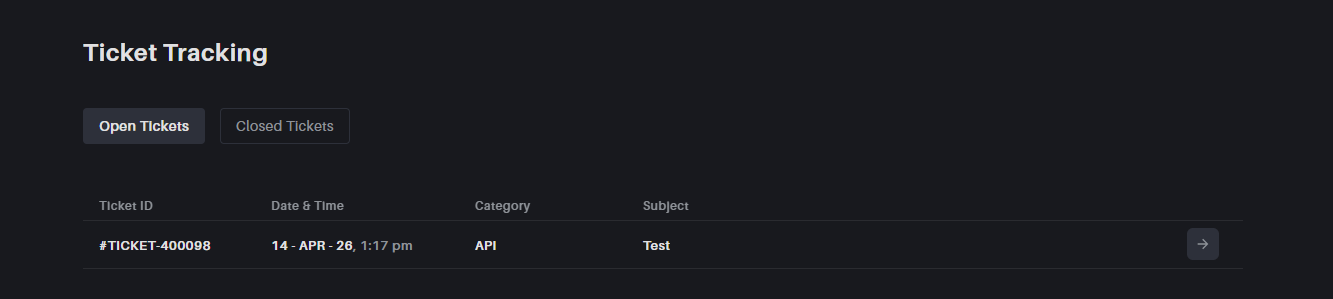
Once the ticket is raised, it will appear on the same page under the “Raise Support Ticket” section.
You can track the status of both open and closed tickets from there.
Important Note
- If we do not receive a response from your side within 24 hours of our last reply, the ticket will be automatically marked as closed as per procedure.
- If your issue persists, you can simply reply to the same email thread to reopen the ticket.
- If multiple tickets are created for the same issue at the same time, only one primary ticket will remain active, and the others will be closed. This is done to ensure that all communication and resolution are handled in a single place, avoiding confusion and duplication.
- Please avoid creating multiple tickets for the same issue, as continuing the same thread helps us assist you more efficiently.